Five Common hardware failures of electronic charts
By Ruby
July 15th, 2025
2206 views
Marine electronic charts and their display system ECDIS are an important part of modern ship navigation systems, which can provide real-time navigation information.
However, marine ECDIS systems are complex systems that integrate multiple hardware and software, making them prone to hardware failures.
Here are some specific case studies detailing the hardware failures that can be experienced with marine ECDIS and their impact.
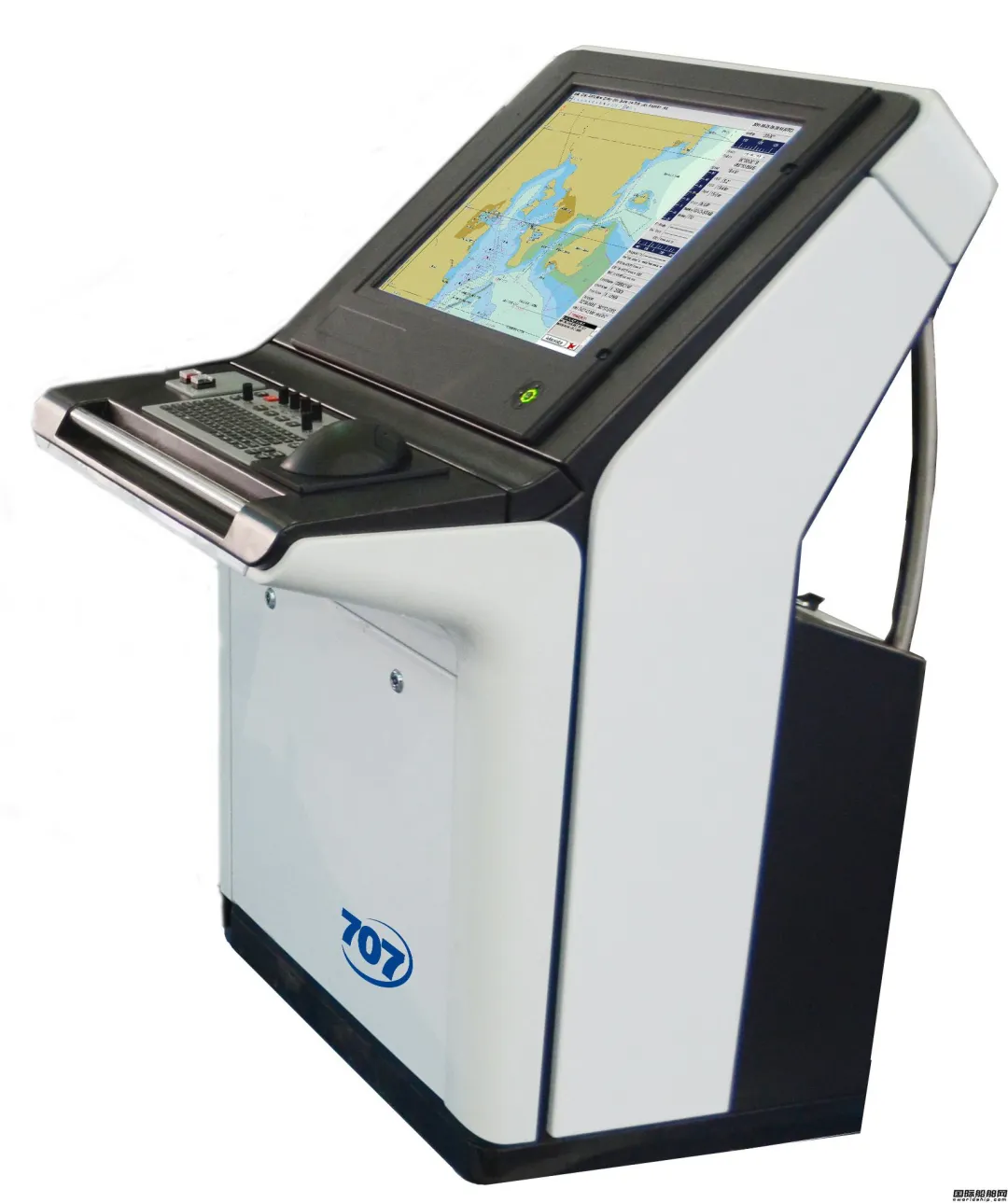
Display failure
When an oil tanker was under sail, the ECDIS display suddenly went black, causing the crew to be unable to view real-time electronic charts and other navigational information.
It may be due to a faulty internal circuit of the display, damage to the LCD screen, power supply problems, etc. Crews lose real-time monitoring of the vessel's current position and route, increasing the risk of navigation, especially in confined waters or complex meteorological conditions.
Regularly checking the display interface and power supply system, as well as having a spare monitor, or using a laptop as a temporary navigation device, are important measures to ensure safe navigation on your ship.
1. Regularly check the monitor interface and power supply system
Regularly check the cable between the monitor and the main unit to ensure that there is no wear or looseness. Use specialized tools to test the signal transmission of the interface to ensure that the data flows properly.
Check the integrity of the power adapter and power cord to ensure that there is no aging, damage, or short circuit. Ensure that the UPS (uninterruptible power supply) system is working properly to prevent sudden power outages from affecting the system. Use voltage monitoring equipment to ensure that the supply voltage is within the normal range and avoid equipment failure due to voltage fluctuations.
2. Equipped with a backup monitor
Choose a backup display that is compatible with the main navigation system and ensure it can be used directly in the connection.
Choose a monitor that's easy to carry and install, so you can quickly set it up in an emergency. Make sure that the backup monitor has good display performance and viewing angles for use in a variety of environments.
Set up a dedicated storage location on board to keep the backup monitors clean and in good condition. Regularly test your spare monitor to make sure it works properly if needed.
3. Use your laptop as a temporary navigation device
Install professional ECDIS software (e.g. C-Map, Navionics) on your laptop to ensure that it functions the same as standard marine navigation equipment. Regularly update the charts on your laptop to ensure that the most up-to-date voyage information is available.
You can consider an external GPS receiver to improve the positioning accuracy.
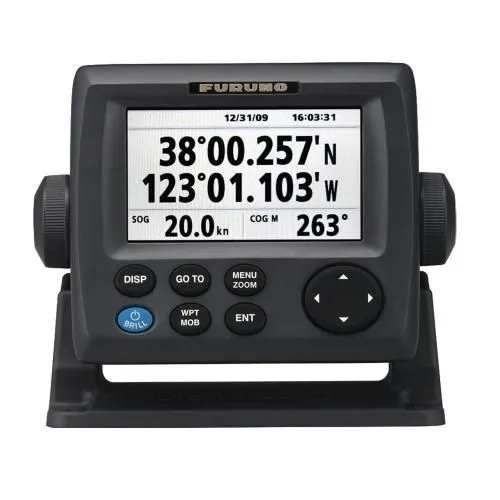
GPS failure
During the voyage, the GPS of a cargo ship malfunctioned, unable to receive accurate location information, and the navigation positioning lost accuracy.
The possible reasons are damaged antennas, faulty GPS modules, signal interference, etc. There are delays or errors in the real-time position update of the ship, which can cause the ship to deviate from course or collide with other ships.
In marine navigation systems, GPS is a key component in acquiring position and heading, but GPS receivers can malfunction, so regular inspection and maintenance are important to ensure safe navigation.
1. Check the antenna connection
Regularly inspect the cable between the GPS antenna and the navigation system to ensure that it is not worn out, has not deteriorated, and that the connector is well fastened.
Check the installation position of the antenna to ensure that it is not obstructed, maintain a good field of view, and avoid data loss due to signal occlusion.
Use a signal strength tester to monitor the strength of the GPS signal to ensure that the normal operating range is reached. Check for other devices in the vicinity (e.g., high-power transmitters) that may be causing interference, and adjust the antenna position if necessary.
2. GPS module working status check
Check the working status of the GPS module in the menu of the navigation system to confirm that it has successfully received the satellite signal and output the position information.
Most modern GPS systems will display a fault code, which can be diagnosed by consulting the user manual or system prompts to understand the specific type of fault.
If possible, the faulty GPS module can be replaced with a standby module for testing to confirm whether the fault is caused by the module itself.
3. Replace damaged parts
After confirming the fault, identify the damaged parts (e.g., antennas, receiver modules, etc.) and prepare the corresponding replacement parts.
If there are no maintenance conditions, contact professional and technical personnel for fault diagnosis and replacement in time.
4. Use other means of navigation to supplement location information
By regularly checking the working status of the antenna connection and GPS module, replacing damaged parts in a timely manner, and combining with other navigation means such as radar, speedometer, magnetic compass and paper nautical charts, the ship can effectively improve the reliability and redundancy of the navigation system, which provides an important guarantee for navigation safety.
Ensuring that the crew is familiar with the use of various equipment and emergency handling procedures is an important factor in improving the ship's ability to resist risks.
Failure of the data processing unit
A passenger ship's navigation system had a data processing error during the voyage, resulting in an electronic chart not matching the actual situation and displaying incorrect bathymetric information.
This may be due to a central processing unit (CPU) or memory failure, a data processing error caused by a software failure, etc. Incorrect bathymetry information can cause ships to run aground, especially in reef-dense waters.
Ensuring that the system software is updated, that self-check procedures are regularly run, and that ECDIS and related data are regularly backed up are essential aspects of the maintenance of a ship's ECDIS system.
1. Make sure your system software is updated
The software of a ship's ECDIS system needs to be updated regularly to ensure the safety and functionality of the system. Software updates typically include fixing known bugs, enhancing system stability, adding new features, and adapting to new international norms and standards.
Regularly visit the system provider's official website or use the system's built-in update check feature to see if a new software version is available.
After confirming the content of the update, download and install the update according to the provider's instructions. Note: Follow all security and compatibility guidelines during installation.
After installing the update, the system is thoroughly tested to ensure that the new features are working properly and that no new issues are introduced.
2. Run the self-test program regularly to troubleshoot
The self-test program is a tool used in the ECDIS system to detect and diagnose potential problems. By running these programs on a regular basis, faults that can affect system performance and stability can be detected and resolved early.
According to the recommendations of the system provider, choose the self-test program that is suitable for the system. Set a fixed schedule (e.g., weekly or monthly) and perform the self-test procedure according to the schedule.
Carefully review the self-test program's report and watch out for any anomalies or error messages. For the problems found, take corrective measures in a timely manner.
Establish a problem tracking system to record the results of each self-inspection and the corrective actions taken for subsequent analysis and improvement.
3.Regular backup of ENCs and related data
Data backup is a key measure to prevent data loss. In a ship ECDIS, this includes the ECDIS itself, routes, waypoints, user settings, and other important data.
Depending on the importance of your data and how often it is updated, choose the appropriate backup strategy, such as full, incremental, or differential. Have a regular backup schedule, such as a full backup once a week or month, and ensure instant backups in case of important changes to your data.
Store backup data on safe, reliable, and easily accessible media, such as external hard drives, network storage, or cloud storage. Ensure the confidentiality and integrity of your backup data. Regularly verify the readability and integrity of backup data to ensure successful data recovery if needed.
In addition to regular backups, a disaster recovery plan should be in place for serious events that can lead to data loss, such as hardware failure, fire, or theft.
The reliability and safety of a ship's ECDIS system can be significantly improved by ensuring that the system software is updated, self-checking procedures are run regularly, and ECDIS and associated data are backed up regularly. These measures not only help prevent failures and data loss, but also quickly restore the normal operation of the system in the event of a problem.
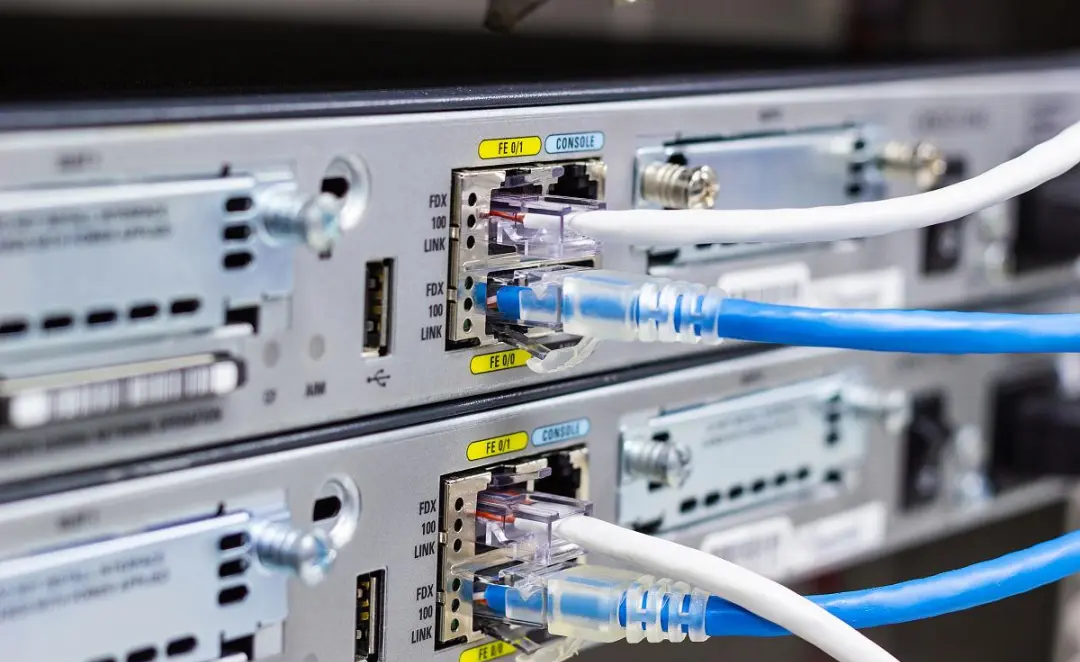
The marine network failure
A fishing vessel reported that its systems, including electronic charts, were unable to function properly due to network failures, resulting in the inability to receive weather warning information.
It may be due to faulty network switch or router, poor network connection, external factors such as flooding, etc. Ships are unable to obtain a variety of important external data, including weather changes and navigational warnings, resulting in increased navigational safety hazards.
Ensuring the reliability of marine network systems is critical to ship safety and navigation efficiency. By setting up redundant network connections and deploying service tools, you can effectively respond to network failures and keep your system running.
1. Set up a redundant network connection
Redundant network connectivity ensures continuity of network connectivity by allowing ships to quickly switch to the backup network in the event of a primary network failure.
Use two separate network lines, such as internet connections from two different ISPs, to ensure that even if one line fails, the other can still provide service.
Use a network router or switch to automatically switch connections. By setting a routing policy, the system can automatically switch to the standby connection when the primary connection fails.
Deploy network devices that support seamless switchover, with the ability to automatically switch when a fault is detected without impacting user operations.
Select network equipment suitable for the ship's environment, considering waterproof, seismic and other characteristics. Calculate a reasonable network topology to ensure the effectiveness of redundant network connections and avoid single points of failure.
Regularly test the effectiveness of redundant connections to ensure that they can be switched quickly in the event of a problem. At the same time, a network monitoring system is set up to monitor the network status in real time.
2. Deploy repair tools on board
Having the proper repair tools on board your vessel can help fix any network hardware failures in a timely manner, minimizing downtime.
Hand tools such as screwdrivers, wrenches, cable strippers, adhesive tape, etc., for basic repairs are included. Network testers, signal strength testers, and cable detectors can be used to troubleshoot network faults and confirm the connectivity of cables and devices.
Carry software tools and external hard drives for data recovery and backup, ensuring rapid recovery of network configurations and data in the event of a hardware failure.
Conduct regular inspections of network equipment to ensure that all cables and devices are in good condition and identify potential problems in advance. Develop an emergency response plan for network failures, with clear procedures for reporting and handling faults, to ensure crews can act quickly.
Provide the necessary maintenance and repair training to the crew so that they have basic troubleshooting and repair capabilities, and can handle network problems independently.
Back up critical equipment and components (e.g., network switches, routers, network cables, etc.) on board so that they can be quickly replaced in the event of a failure and avoid prolonged downtime.
Conduct regular inventory of spare parts to ensure that spare parts are sufficient and in good condition, and update and replace expired spare parts in a timely manner.
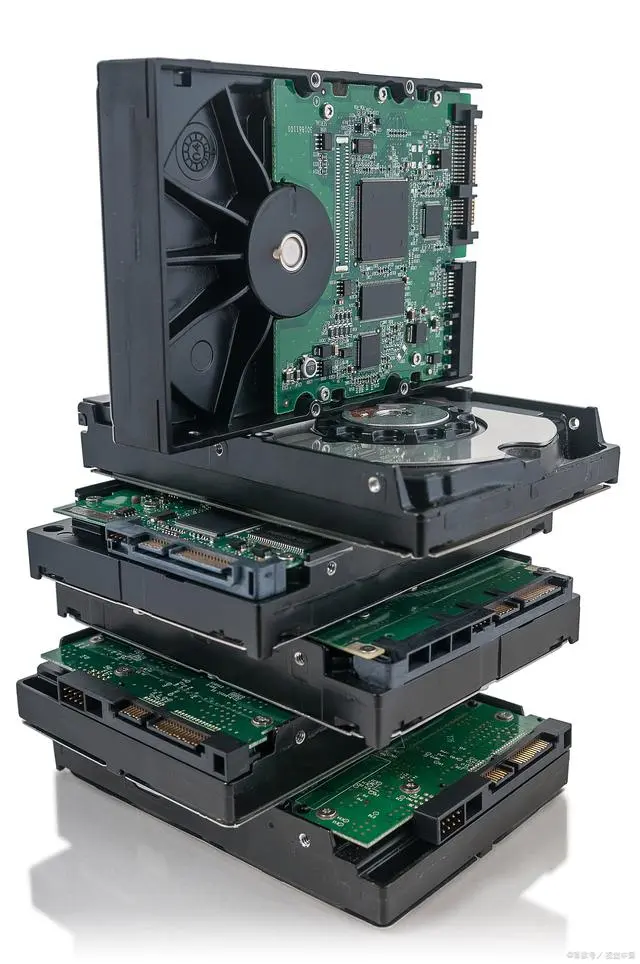
Storage equipment failure
When an ECDIS update is performed, it is found that the device is unable to read or write data, resulting in the inability to update the chart information.
It could be due to a hard drive or SSD failure, data corruption, errors caused by overheating, etc. The use of outdated charts can lead to errors in navigational decisions and affect the safety of navigation.
Monitoring the health of storage equipment, ensuring data security through redundant data backup, and ensuring that the equipment has a good heat dissipation environment while operating are all important measures to protect the ship's electronic systems.
1. Monitor the health status of your storage device
Monitoring the health status of your storage devices can identify potential problems early and avoid data loss or device failure.
Use an intelligent monitoring system (such as SMART monitoring) or specialized hard disk health monitoring software to regularly check the health status of the hard disk, including parameters such as temperature, bad sectors, read and write speed, etc.
Establish a real-time monitoring mechanism, to determine the alarm threshold, when the health status of the equipment is abnormal, the system will automatically notify the relevant personnel, timely processing.
Establish a regular assessment plan (e.g., quarterly) to conduct a comprehensive inspection of the storage device, including file system checks and data integrity verification.
Once the health status of the storage device is abnormal, you should quickly troubleshoot the hardware, data cables, and power supply.
2. Ensure data security with redundant data backup
Redundant data backup prevents data loss and ensures rapid recovery in the event of device failure or data corruption.
Implement a 3-2-1 backup policy: Keep 3 copies of your data on 2 different media, and store 1 copy offline in a secure location (such as an external hard drive or cloud storage) to enhance data security.
Set up automatic periodic backup schedules (such as daily and weekly) to ensure that new data is backed up in time to avoid data loss.
Conduct regular data recovery drills to verify the integrity and recovery effectiveness of backup data to ensure that data can be quickly recovered in the event of an actual failure.
Document the detailed backup and recovery process to ensure that all relevant personnel are familiar with the operation and reduce data loss due to human error.
3. Make sure that the device has a good heat dissipation environment when it is working
Overheating the device can lead to failures and reduced lifespan, so it is critical to ensure a heatsipated environment.
Make sure there is good ventilation around the storage device and avoid stacking the device or placing it in an enclosed space. Adequate space needs to be left for good air circulation.
Equipped with a cooling fan or cooling system to keep the device within the normal operating temperature range. Regularly check whether the fan is running properly.
Install temperature monitoring equipment to monitor the temperature status of the equipment in real time. Once the temperature exceeds the preset range, the system needs to alarm in time and take cooling measures.
Regularly monitor the temperature and humidity of the environment where the equipment is located to ensure that the environmental conditions are friendly to the equipment and reduce the impact of the external environment on the heat dissipation of the equipment.
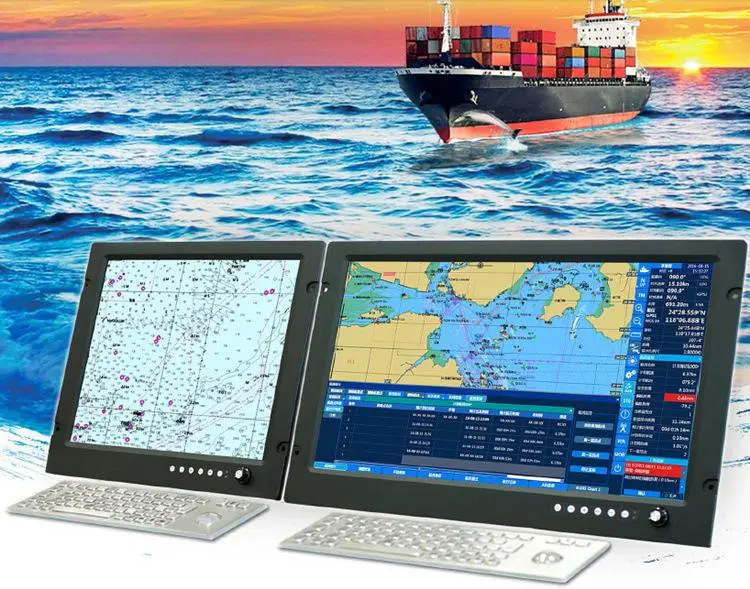
The hardware failure of the marine electronic chart system may affect the navigation safety of the ship, and the ship operator should regularly carry out equipment maintenance and establish an emergency plan to ensure the stability and reliability of the system.
At the same time, the training of crew members should be strengthened so that they can respond quickly and take necessary remedial measures in the event of a malfunction.
Previous
ONWA GPS Antenna
Read More
Next
Brief introduction to the classification of marine anchors
Read More